How to create an online test with timer

Create an online test with timer. Apply time limits to entire tests, specific sections, or individual pages.

Set clear pacing for your assessments by applying time limits to tests, sections, or individual pages. With TestInvite’s flexible timer settings, you can design fair, structured, and high-integrity test experiences that suit your goals.

Whether you’re managing timed quizzes, live assessments, or controlled exam environments, the timer system allows full control over how much time test-takers spend on any part of the test.

Key takeaways

  • Apply time limits at the test, section, or page level for precise pacing control.
    • Use visible countdown timers that automatically lock test parts when time expires.
      • Restart sessions accurately with manual adjustments or the Reinstatement Assistant.
        • Enforce timers securely with back-end validation that prevents bypassing or late submissions.
          • Combine timers with navigation control and proctoring for structured, high-integrity exam delivery.

            Customizable test creation

            Creating a test with TestInvite’s exam maker tool is fast and straightforward. Simply go to the Tests module, enter a name for your test, and the system will automatically generate your first section and page. From there, you can build out the structure by adding as many sections and pages as needed.
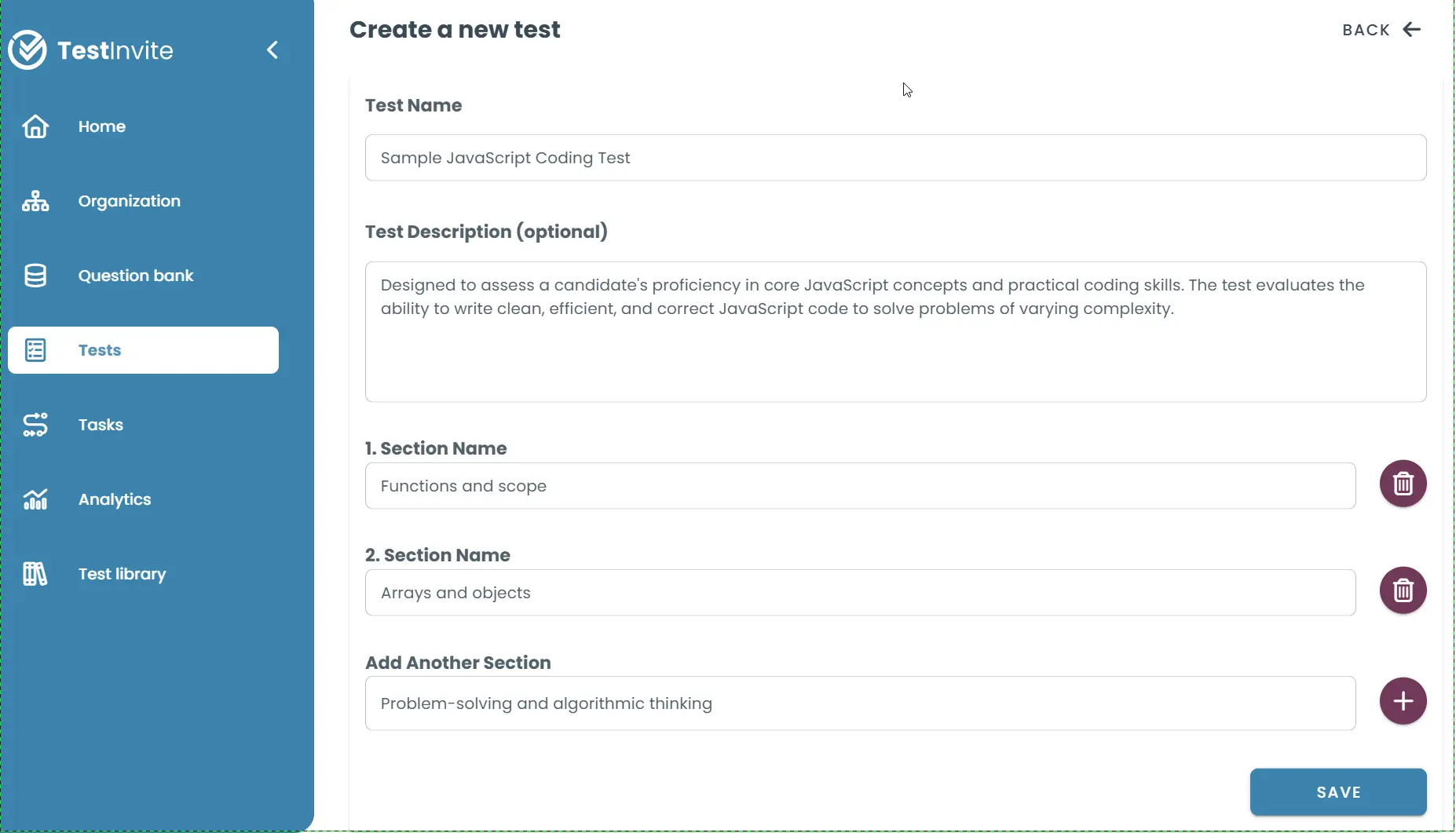
            Interface for creating a new test
            Interface for creating a new test

            Apply time limits where you need them

            Time limits in TestInvite can be configured at each level of a test:
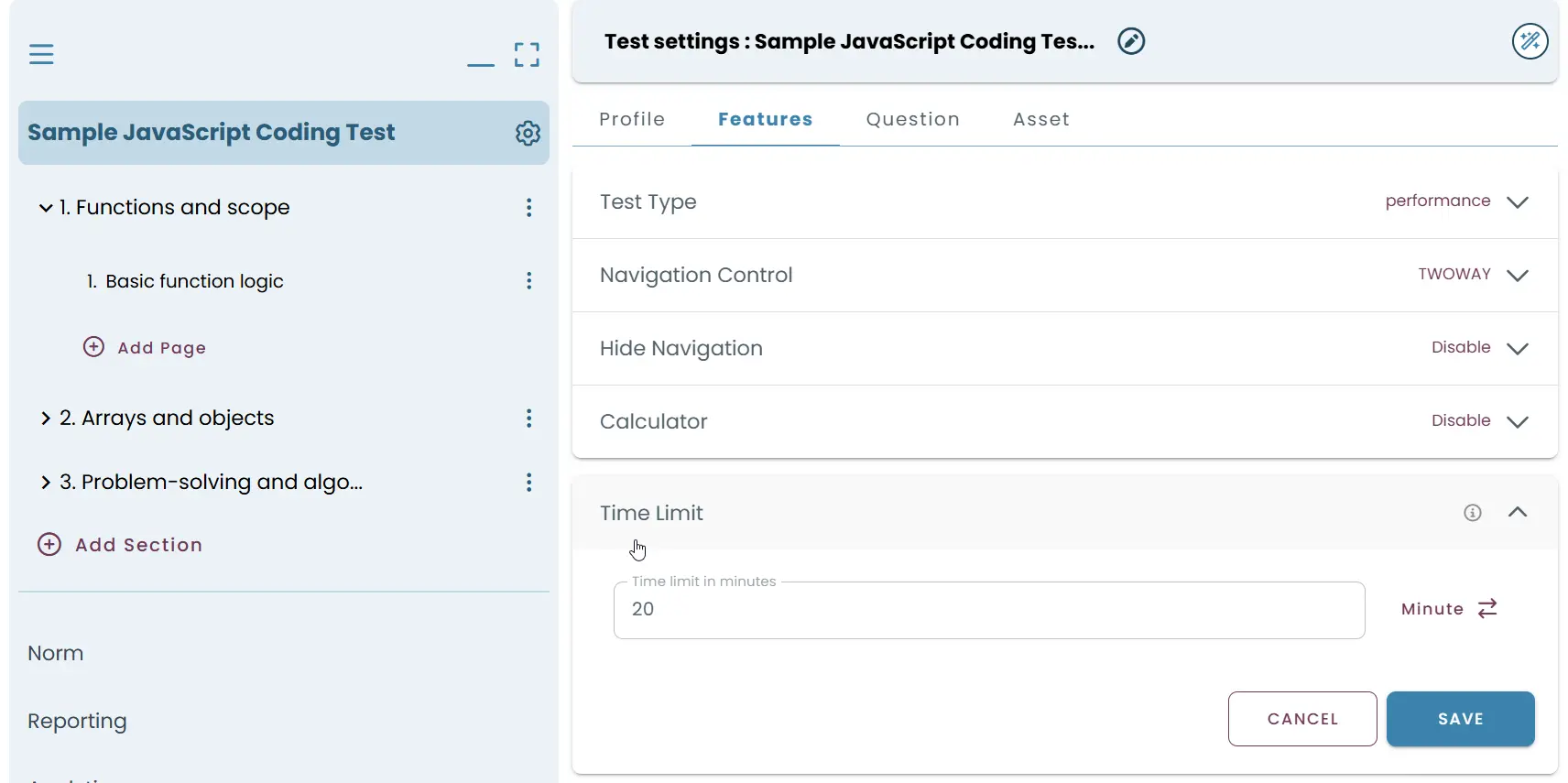
            • Test-Level Timer: Set a total time limit for the entire test. Once the timer ends, the test auto-submits, and the candidate cannot continue. To set a test-level timer, go to the Test Settings > Features tab.
              Time limit for the entire test
              Time limit for the entire test
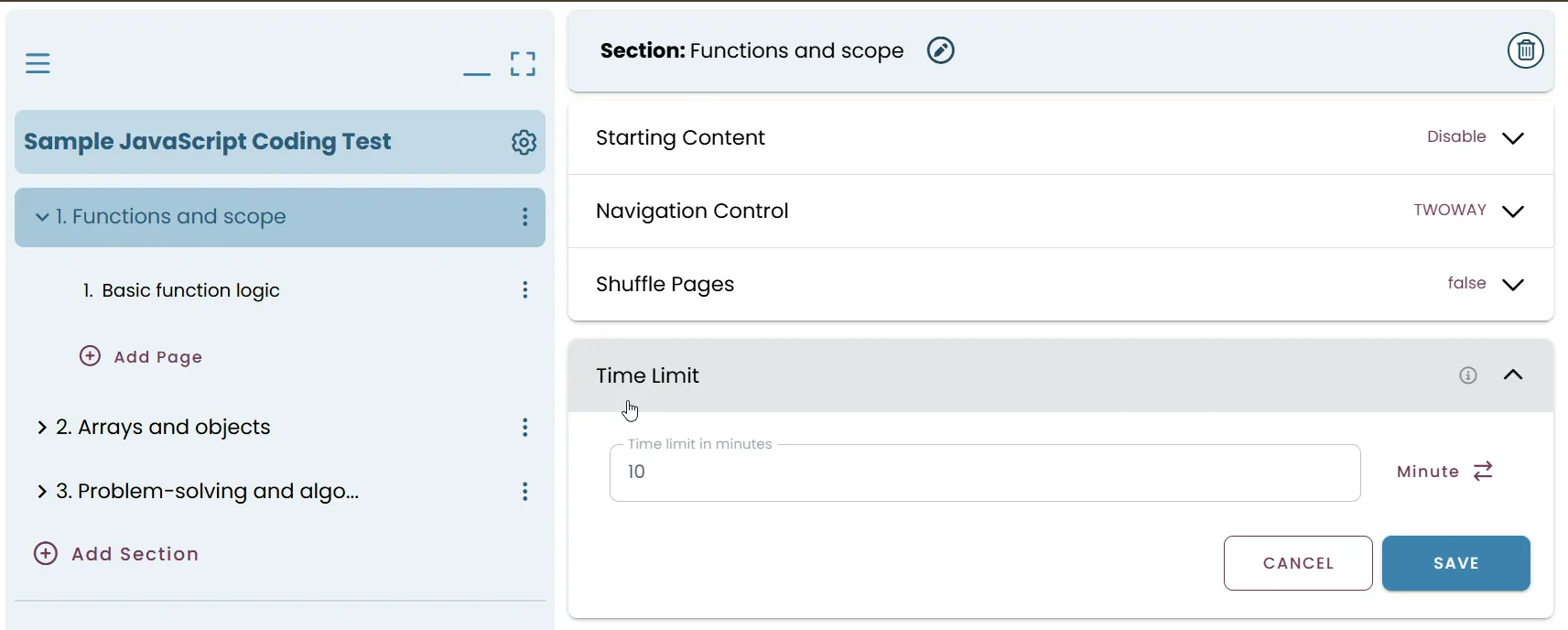
              • Section-Level Timer: Apply specific time limits to sections, which is useful when different sections require different durations (e.g., 10 minutes for math, 20 minutes for reading comprehension). To set a section-level timer, open the section settings and enable the Time Limit field.
                Specific time limits for sections
                Specific time limits for sections
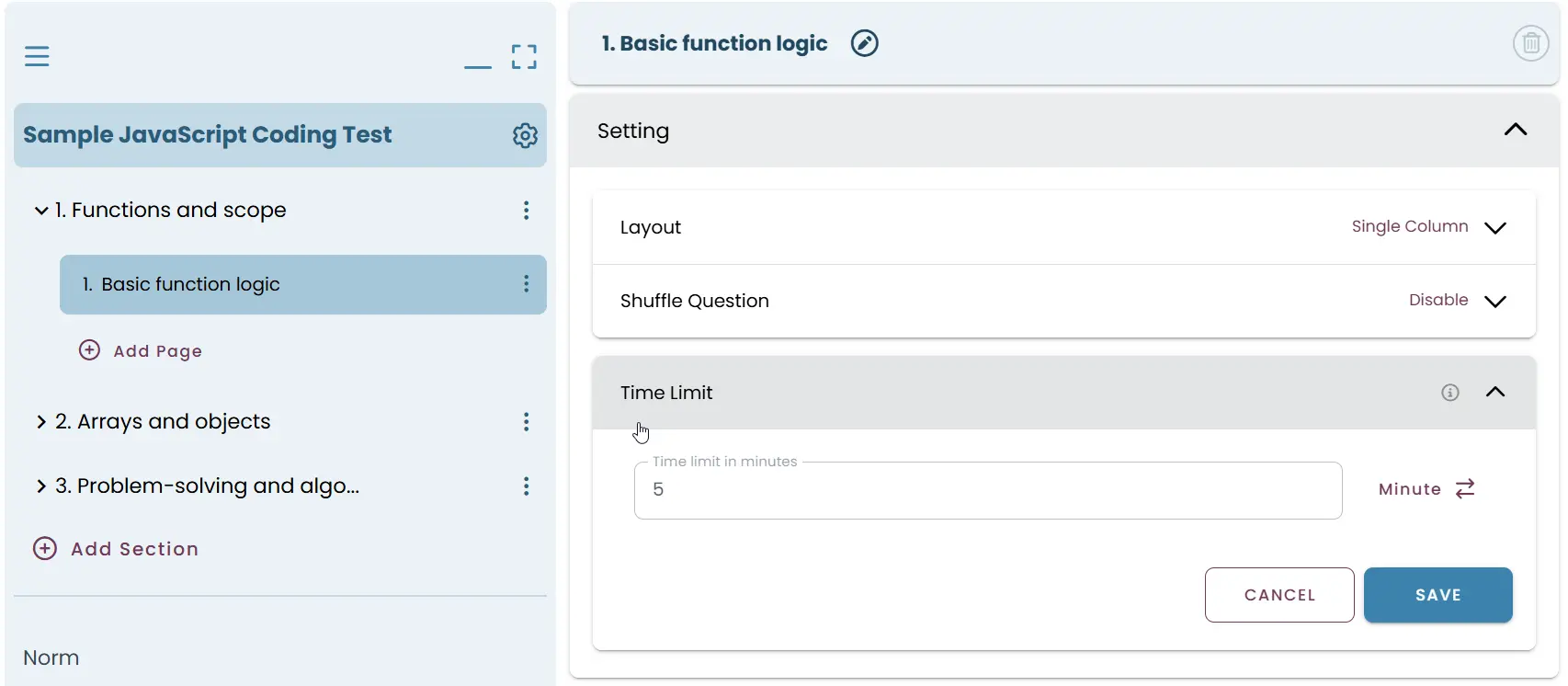
                • Page-Level Timer: For granular control, apply time limits to individual pages. This is especially useful for timed challenges or live question-by-question pacing. To set a page-level timer, open the page settings and input your desired time.
                  Time limits for individual pages
                  Time limits for individual pages

                  Each timer runs independently and displays a visible countdown for the candidate. When time expires, the associated test part is locked automatically.

                  Restart sessions with smart timing

                  TestInvite helps you manage paused or reinstated test sessions with precision.

                  When resuming a session, you can:

                  • Manually assign the remaining time based on elapsed duration.
                    • Use the Reinstatement Assistant, which calculates and applies remaining time limits automatically.

                      All existing navigation restrictions remain in effect. For example, if the test is locked to forward-only navigation, the system respects this when reinstating.

                      Countdown timers that can't be bypassed

                      Timers appear in the top-right corner of the test interface, clearly displaying the remaining time for the entire test, the current section, and the active page.

                      Countdown timer in the top-right corner of the test
                      Countdown timer in the top-right corner of the test

                      TestInvite enforces timers on both the front-end and back-end. Even if a user attempts to override the timer on the client side, the server will reject any answers submitted after time expires, ensuring integrity and fairness.

                      Time-controlled, structured testing at scale

                      TestInvite’s timer controls are ideal for:

                      • Timed knowledge checks and quizzes
                        • Standardized exams with strict pacing
                          • High-stakes assessments that require session control
                            • Live interview challenges and question-based timeboxing

                              Timers add structure and integrity to your exams by enforcing consistent pacing. When used alongside proctoring, navigation control, and randomized delivery, they create a secure and level playing field for every test-taker.

                              Frequently asked questions (FAQ)

                              Online test systems manage time limits mainly through server-side timing:

                              • Server-side clock controls everything: When the exam starts, the server records the start time and allowed duration. Even if the candidate refreshes or disconnects, the timer keeps running.
                                • Client-side countdown: The user sees a countdown timer, but it's always synced with the server.
                                  • Auto-save & auto-submit: Answers are saved continuously, and the system submits automatically when time is up.
                                    • No pause on disconnect: The timer does not stop if the internet drops or the browser closes.
                                      • Extra options: Some systems allow per-section or per-question time limits.

                                        Created on 2025/07/04 Updated on 2025/11/26 Share
                                        Go Back

                                        Talk to a representative

                                        Discover how TestInvite can support your organization’s assessment goals